
How do you handle internet access in Japan?
During your trip or when out and about, carrying a mobile Wi-Fi router can be a hassle…💧
Rental fees can be surprisingly high, and public Wi-Fi security is a bit concerning…😟
Solving all these problems at once is Rakuten Mobile’s tethering feature!
In this article, we’ll thoroughly explain how convenient Rakuten Mobile’s tethering is and how it can make your internet experience in Japan comfortable. Be sure to read to the end and enjoy your stay in Japan smarter and more affordably!
✨ Why You Won’t Need a Wi-Fi Router Anymore? The Overwhelming Benefits of Rakuten Mobile’s Tethering!
First, let’s explore the secret behind why Rakuten Mobile’s tethering has such compelling advantages that it makes a mobile Wi-Fi router unnecessary.
✅ Unlimited Giga! Worry-Free with Unlimited Data
- With Rakuten Mobile’s “Rakuten Saikyo Plan,” there’s no upper limit on data usage!
- You can use tethering as much as you want without any extra charges, so you don’t have to worry about data caps.
✅ No Extra Charge for Tethering!
- While many carriers charge extra for tethering, Rakuten Mobile offers the tethering feature for free.
- Within your monthly fee, your smartphone instantly turns into a portable Wi-Fi router anywhere.
✅ Free International and Domestic Calls with Rakuten Link!
- Using the dedicated “Rakuten Link” app, domestic calls are unlimited!
- Furthermore, international calls to some countries/regions are also free, so you can stay in touch with family and friends abroad worry-free. Significantly save on communication and call costs.
✅ Less Luggage, More Freedom!
- No need to carry a mobile Wi-Fi router, which means less luggage during your trip and one less device to charge.
- Enjoy sightseeing and travel light.
✅ Connect Multiple Devices Simultaneously!
- Using your smartphone as a host, you can connect multiple devices such as PCs, tablets, and portable gaming consoles to the internet simultaneously.
- This is extremely convenient when using with family or friends.
✅ Your Own Wi-Fi Hotspot, Anywhere, Anytime!
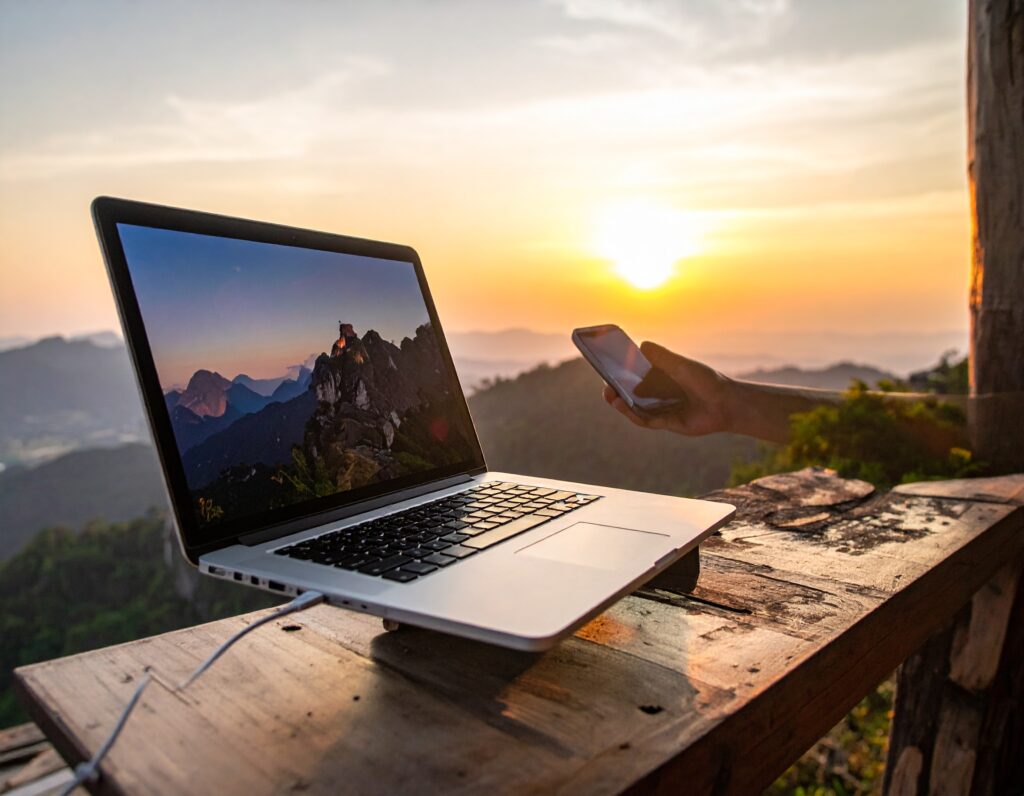
- Within Rakuten Mobile’s service area, your smartphone becomes your personal Wi-Fi hotspot anywhere in Japan.
- No more hassle of searching for public Wi-Fi, and no security concerns.
🚀 How Can You Use It? Rakuten Mobile Tethering Usage Tips!
Rakuten Mobile’s tethering will be your strong ally in every situation during your stay in Japan. Let’s look at specific usage scenarios.
✈️ Perfect for Travelers! Comfortable Internet Even While Moving or Sightseeing
- While traveling on Shinkansen or trains: Work on your PC or watch movies/dramas on your tablet, making good use of travel time.
- Information gathering at tourist spots: Use map apps and translation apps without worrying about data limits. You can also instantly upload photos and videos to social media.
☕ Smooth Work in Cafes and Coworking Spaces
- Even when public Wi-Fi is slow, unstable, or you’re concerned about security, you can work comfortably with your own tethering.
- Sudden online meetings or sending large files are also worry-free.
🏨 Peace of Mind Even When Hotel/Accommodation Wi-Fi is Unstable
- If hotel Wi-Fi is crowded and slow, or has speed restrictions, Rakuten Mobile’s tethering ensures a stable internet connection.
🏠 For Residents in Japan: Also as a Backup for Home Internet
- It’s extremely useful as a backup connection if your home’s fixed-line internet is under construction or temporarily out of order.
- Convenient for sudden data usage when out, or for sharing data with friends.
⚙️ How to Set Up Rakuten Mobile Tethering (It’s Super Easy!)
Setting up Rakuten Mobile tethering is incredibly easy. Even first-time users can get started right away!
- Subscribe to Rakuten Mobile:
- If you have an unlocked smartphone, you can easily apply online.
- With eSIM, you can activate on the same day!
- Open your smartphone’s settings:
- For iPhone: “Settings” → “Personal Hotspot”
- For Android: “Settings” → “Network & internet” → “Hotspot & tethering”
- Turn on the tethering (Personal Hotspot) function:
- Set a Wi-Fi password and enable the function.
- Connect via Wi-Fi from other devices:
- On the device you want to connect (e.g., PC or tablet), select your smartphone’s network name from the Wi-Fi settings and enter the password. Done!
💡Pro Tip: Tethering can consume your smartphone’s battery faster. If you plan to use it for an extended period, we recommend preparing a mobile battery.
💡 Summary: Rakuten Mobile is the Key to a Comfortable Internet Experience in Japan!
Rakuten Mobile’s tethering is a powerful tool to enjoy your stay in Japan more comfortably and freely.
- Unlimited data means no worries about data caps!
- No extra charges for tethering!
- Freedom from carrying a Wi-Fi router or paying rental fees!
If you want to make your internet environment in Japan smarter and more comfortable, definitely consider Rakuten Mobile!
Check out Rakuten Mobile now and start your new internet experience in Japan!
Click here for Rakuten Mobile Official Website!
※The information in this article is current as of September 2025. Campaign details and service specifics may change, so please always check the official website for the latest information.
Related Articles

Comprehensive Guide on Rakuten Mobile’s Contract Period and Cancellation Fees

How to Cancel Your Rakuten Membership: A Simple Step-by-Step Guide

Rakuten Mobile eSIM Guide | Comprehensive Explanation of Setup, Benefits, and Compatible Devices

Easy for Everyone! How to Cancel Rakuten Mobile

How to Switch from Physical SIM to eSIM for Free