
“Rakuten Mobile is cheap, but are there other benefits?”
Good news for those who think so! If you’re a Rakuten Mobile subscriber, you can actually read 3 popular magazines for free every month!
“Huh? What’s that?”
“Is it really free?”
To answer those questions, this article will explain in detail.
Contents
▮3 Magazines Free Every Month
Is it true that 3 magazines are free every month, and no application is needed?
Yes, it’s true!
If you are using Rakuten Mobile’s “Rakuten Saikyo Plan” or “Rakuten Saikyo U-NEXT,” you can read up to 3 magazines for free every month! And no application is required.
This is a super valuable piece of information that all Rakuten Mobile users should definitely check out.
If you’re considering a Rakuten Mobile contract, it certainly won’t hurt to know about this beforehand.
▮Easy 2-Step Usage
I actually tried to see if I could really read magazines for free.
The usage method is very simple.
- STEP 1: Download the “Rakuten Magazine” app.
- STEP 2: Log in to the “Rakuten Magazine” app with your Rakuten ID linked to your Rakuten Mobile contract.
Upon logging into the “Rakuten Magazine” app, the following information was immediately displayed:
“Welcome to Rakuten Magazine Lite for Rakuten Mobile!”
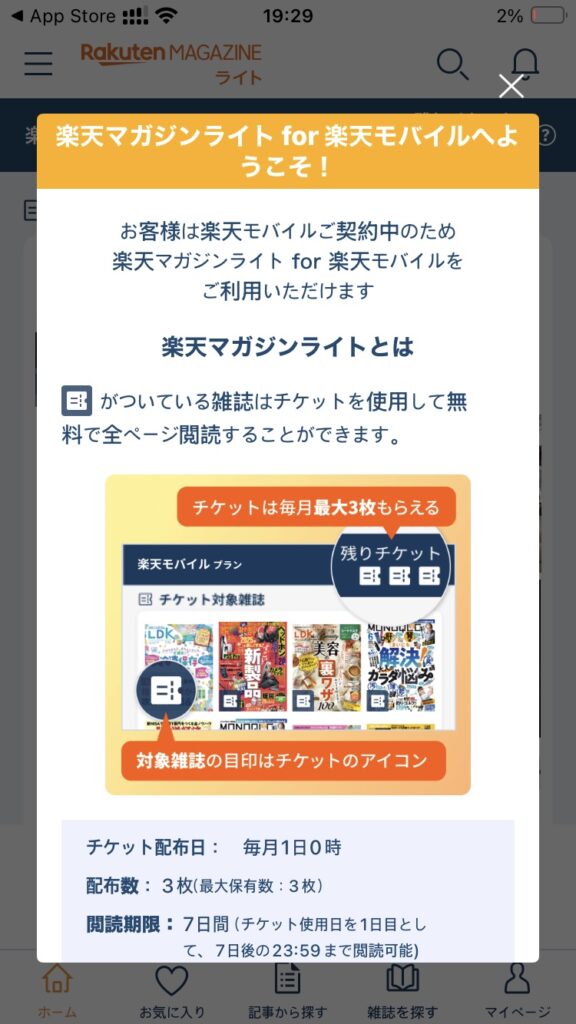
- Ticket Distribution Date: 1st of every month at 0:00 AM
- Number of Tickets: 3
- Reading Period: 7 days (Starting from the day the ticket is used as day 1, readable until 23:59 on the 7th day)
- Additional Explanation
- I was worried if I wouldn’t get tickets until the 1st of the month, but it was fine even if I joined mid-month. Please be assured that I received all 3 tickets after logging in.
- It’s recommended to use the tickets early, such as at 0:00 AM. Whether you use it at 0:00 AM or 23:00, the 1-day count doesn’t change, so using it in the morning allows you to enjoy it longer.
▮ I Tried It Out!
I immediately used a ticket!
By the way, not all magazines are eligible; these tickets can be used for carefully selected magazines marked as “Ticket Eligible.”
My desire to organize was high, so I used it on the “LDK” magazine.
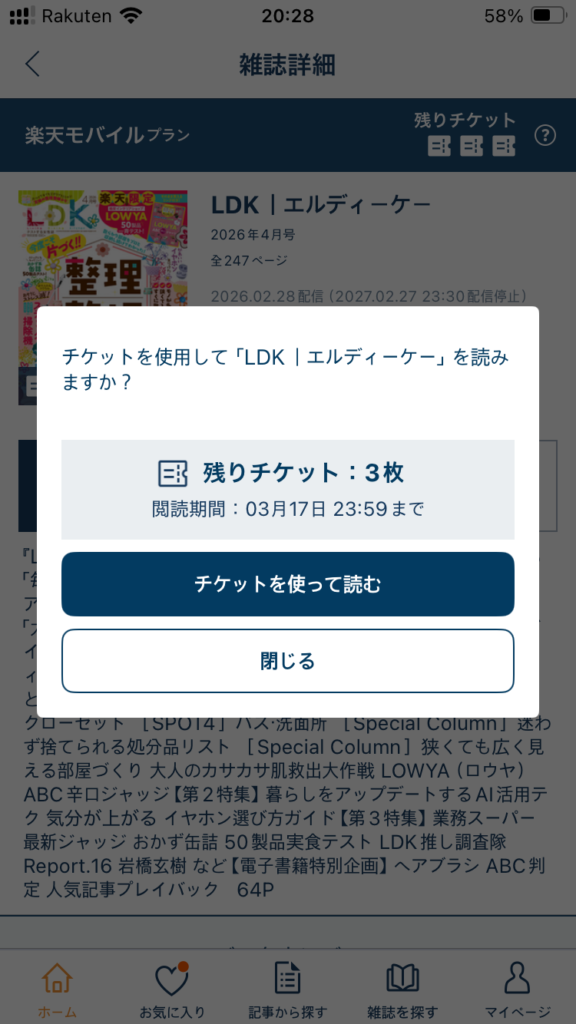
When I tapped the “Read with Ticket” button, my remaining ticket count decreased by one. The reading period for the magazine “LDK” was displayed as until 23:59 on the 7th day.
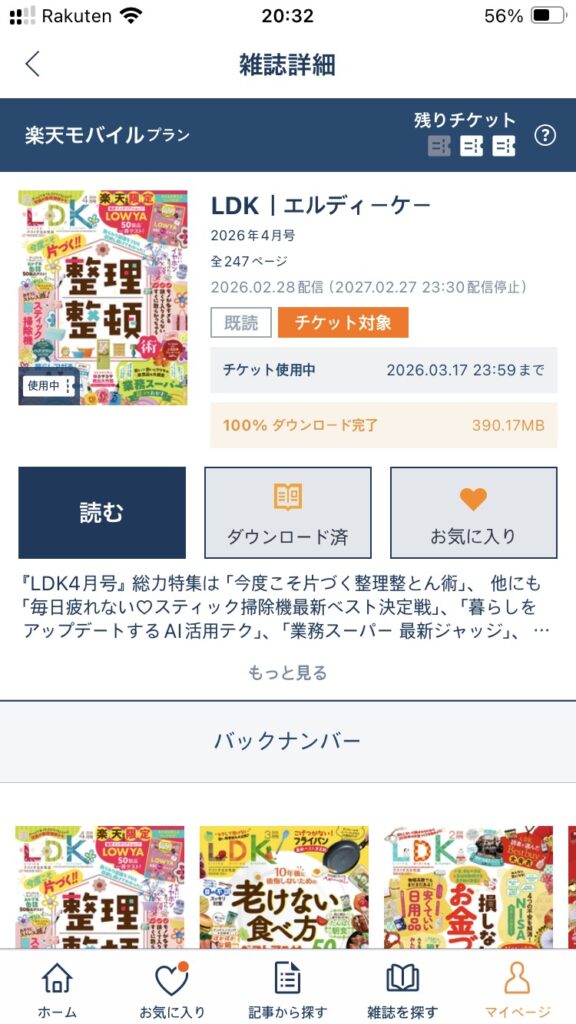
As a result of trying it out, it’s true that Rakuten Mobile users can read their favorite magazines for free.
This is truly a great deal I wish I had known about sooner! You’re just losing out if you don’t use it!
“Rakuten Magazine Lite” is a service exclusively for Rakuten Mobile subscribers.
You can enjoy up to 3 magazines for free every month from a selection of over 1,000 popular magazines.
If you’re a Rakuten Mobile subscriber and didn’t know about this, try it out right now!
Related Articles

Comprehensive Guide on Rakuten Mobile’s Contract Period and Cancellation Fees

How to Cancel Your Rakuten Membership: A Simple Step-by-Step Guide

Rakuten Mobile eSIM Guide | Comprehensive Explanation of Setup, Benefits, and Compatible Devices

Easy for Everyone! How to Cancel Rakuten Mobile

How to Switch from Physical SIM to eSIM for Free