

If you want internet at home “right away,” want to “avoid installation work,” and still “stream videos or work from home comfortably,” then Rakuten Turbo—a home router service—is a great option. It makes setting up Wi‑Fi simple, and when you combine it with Rakuten Mobile and take advantage of the “SAIKYO Home Program,” you can reduce your monthly costs through point rewards while upgrading your home internet setup.

No installation required—just plug it in for home Wi‑Fi
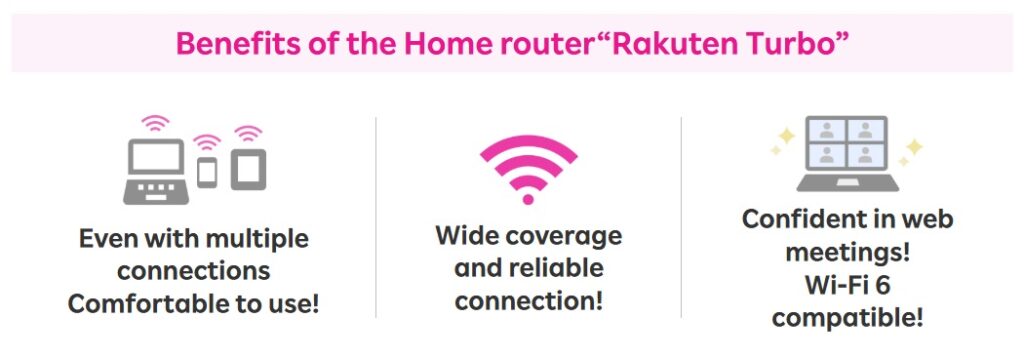
Rakuten Turbo is a home router that doesn’t require any line installation. Once the device arrives, all you have to do is plug it into a power outlet—making it ideal for people who can’t easily be home for an installation appointment or who move frequently. You can connect multiple devices such as smartphones, PCs, and game consoles via Wi‑Fi, and you can use it without worrying about data limits—making it a good fit for people who:
✅Want to use the internet at home for long periods of time
✅Need stable speeds
✅Want to share Wi‑Fi among family members or connect multiple devices at the same time
Get monthly point rewards with Rakuten Turbo + “SAIKYO HPME Program”
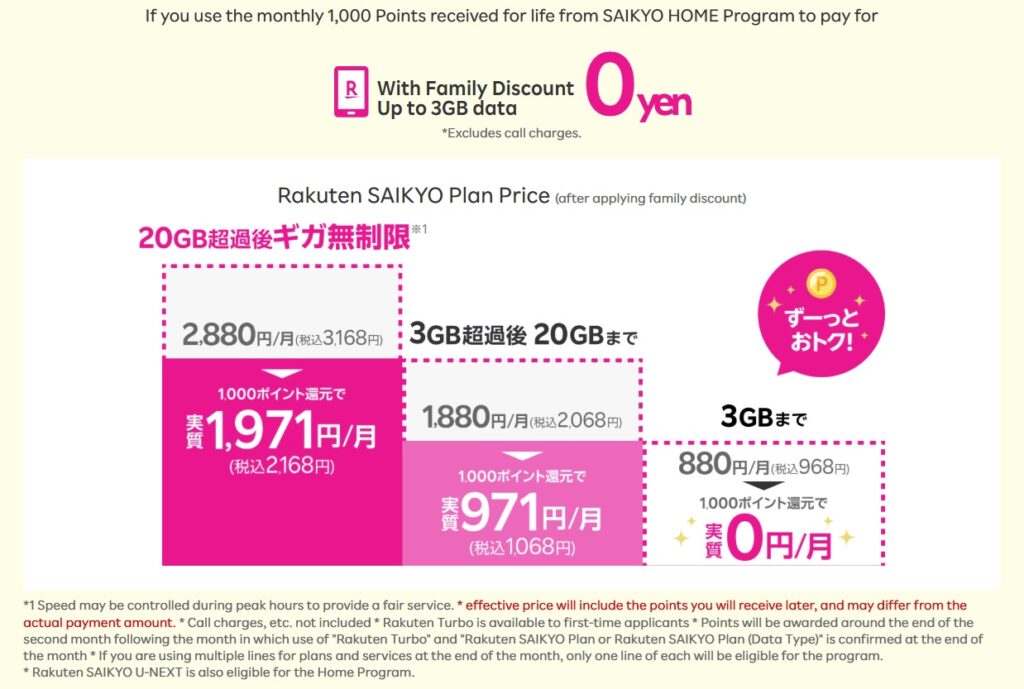
Rakuten Turbo + “SAIKYO HOME Program” is a money-saving program that lets first-time Rakuten Turbo subscribers receive 1,000 points back every month when they use it together with Rakuten Mobile (terms and conditions apply). Since the points you earn can be used across various Rakuten services, it can also help with managing household expenses.
In addition, if you pre-register and meet the requirements, your purchases on Rakuten Ichiba may qualify for SPU (Super Point Up), making it easier to earn even more points. Please note that SPU multipliers and conditions may change, so be sure to check the latest details on the official website.
Check here for details on Rakuten Turbo’s SAIKYO Home Program.
What to check before applying
First, check the official website to confirm whether your intended location is within the service area. It’s also a good idea to review the program’s eligibility requirements in advance (such as linking your Rakuten ID and when benefits are granted). Since campaign details may change or end without notice, make sure to confirm the terms available at the time you apply.
Rakuten Turbo Service Area Map
Summary
Rakuten Turbo is an easy-to-start home Wi‑Fi option with no installation required. And when you pair it with Rakuten Mobile and use the “SAIKYO HOME Program,” you can continue using it at a better value thanks to monthly point rewards. After confirming coverage and eligibility conditions, consider setting up a “simple and comfortable” internet environment that fits your lifestyle.

Related Articles

Comprehensive Guide on Rakuten Mobile’s Contract Period and Cancellation Fees

How to Cancel Your Rakuten Membership: A Simple Step-by-Step Guide

Rakuten Mobile eSIM Guide | Comprehensive Explanation of Setup, Benefits, and Compatible Devices

Rakuten Mobile Offers 2GB Free Even Overseas!

Easy for Everyone! How to Cancel Rakuten Mobile