
With the latest iPhones and many Android smartphones moving toward eSIM-only support, switching from a physical SIM to an eSIM is becoming increasingly important.
With Rakuten Mobile, you can switch to eSIM for free and entirely through the app.
This article explains the process and key points you should know.
What is eSIM?
An eSIM is a digital SIM that allows you to activate a mobile plan without using a physical SIM card.
- No need to insert or replace a SIM card
- Activation is instant after applying
- Convenient for dual SIM usage
Check if Your Device Supports eSIM
Before switching, make sure your device is eSIM-compatible.
- All iPhones from iPhone XS / XR and later support eSIM
- For Android, availability varies by model. Check Rakuten Mobile’s official eSIM supported devices list
- If your phone is locked to another carrier, you may need to unlock the SIM first
Steps to Switch from Physical SIM to eSIM
You can complete the procedure easily with the My Rakuten Mobile app.
1.Launch the My Rakuten Mobile app
Open the app and go to the “Lines” screen.

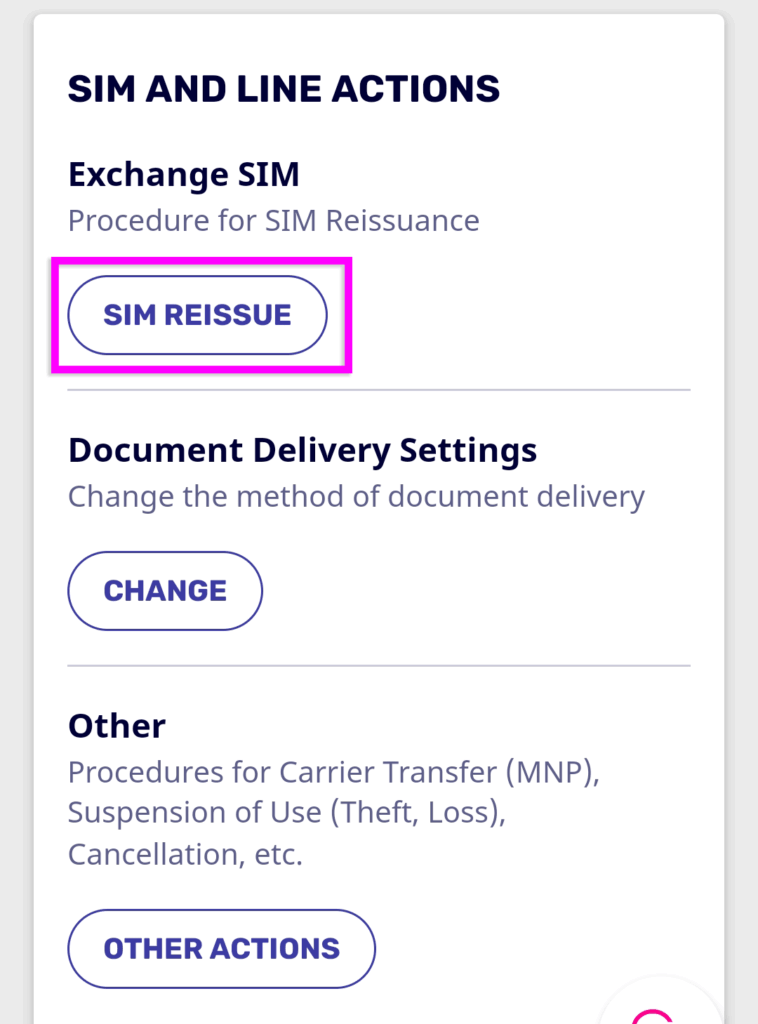
2.Select “SIM REISSUE”
From “SIM AND LINE ACTIONS”, tap “SIM REISSUE”.
※ If you have multiple lines, make sure the line you want to reissue is displayed.
3.Choose the reason and SIM type
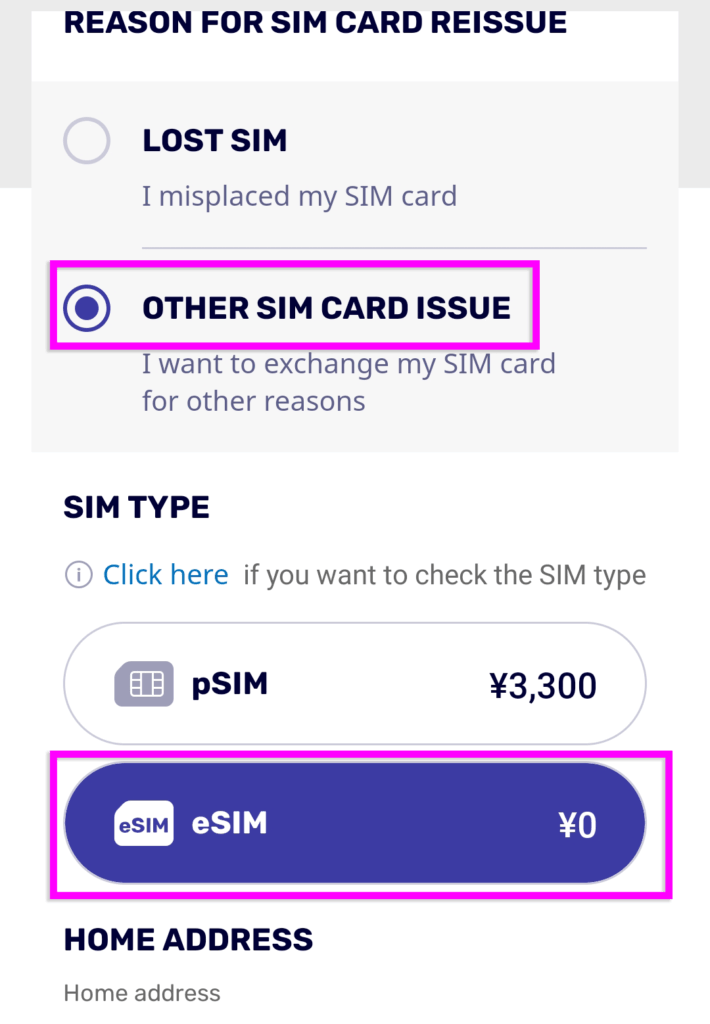
Under “REASON FOR SIM CARD REISSUE”, select “OTHER SIM CARD ISSUE”, and set the SIM type to “eSIM”.
※ If you select “Lost/Stolen,” your line will be suspended until the new SIM is activated.
4.Authenticate with a one-time password
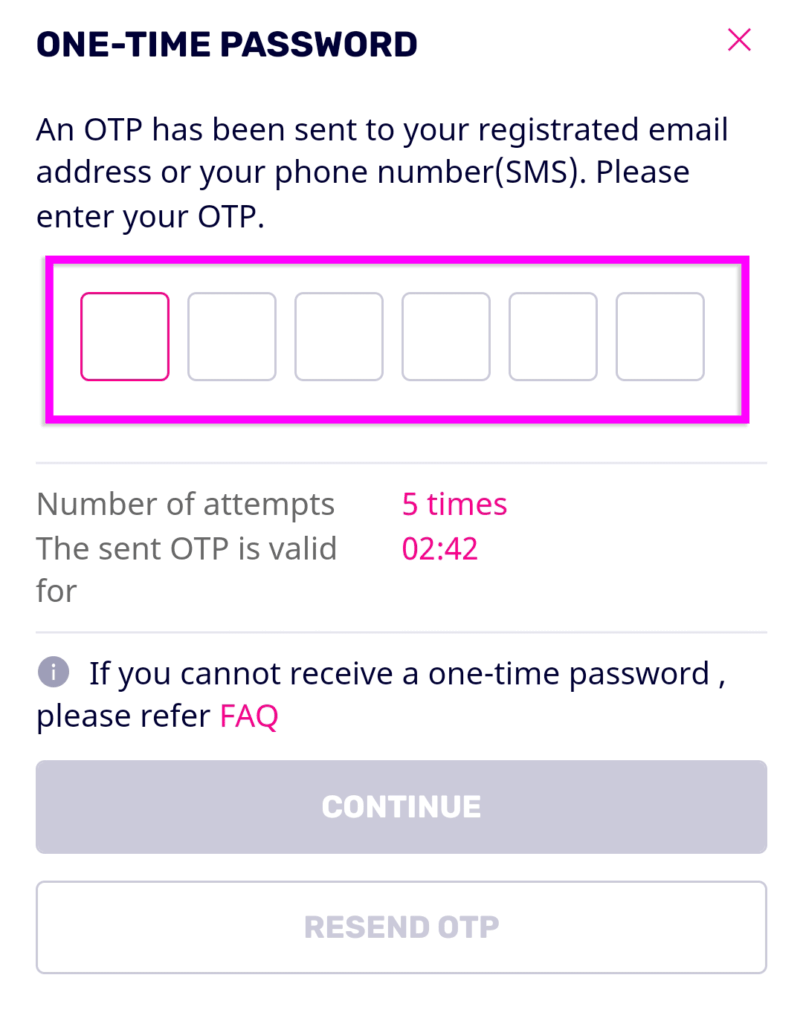
A one-time password (OTP) will be sent via SMS. Enter it and tap “CONTINUE”.
※ If you don’t receive the SMS, check the official help page on “What to do if OTP cannot be received or entered.”
5.Confirm application details
Review your application details and line number, then tap “Confirm”.
※ Make sure both the SIM type and line are correct before proceeding.
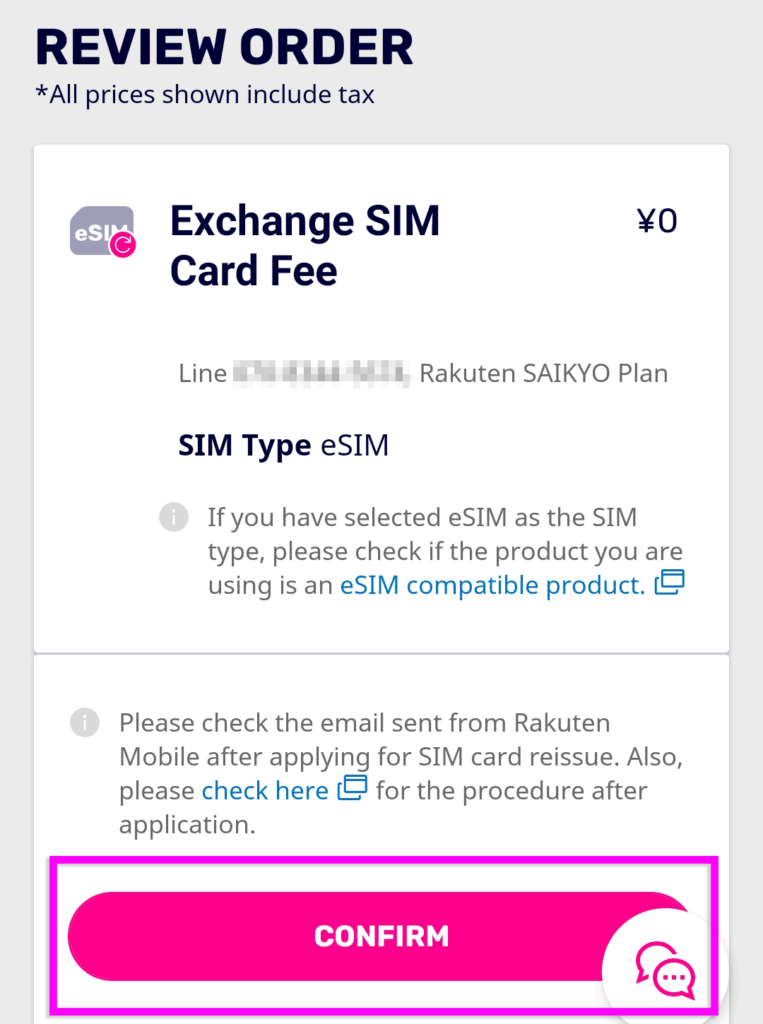
6.Download the eSIM profile
You’ll receive an email titled “[Rakuten Mobile] Request to download eSIM profile.”
Follow the instructions to download the profile, and the switch will be complete.
👇️For detailed instructions on setting up the eSIM on your device, see this article
Rakuten Mobile eSIM Guide | Setup, Benefits, and Supported Devices
Switching to eSIM is an essential step for the future of smartphones.
With Rakuten Mobile, you can switch for free and easily via the app, so you can enjoy your smartphone with peace of mind.
Related Articles

Comprehensive Guide on Rakuten Mobile’s Contract Period and Cancellation Fees

How to Cancel Your Rakuten Membership: A Simple Step-by-Step Guide

Rakuten Mobile eSIM Guide | Comprehensive Explanation of Setup, Benefits, and Compatible Devices

Easy for Everyone! How to Cancel Rakuten Mobile

How to Switch from Physical SIM to eSIM for Free