
Want to Lower Your Phone Bill in JAPAN? But “Switching” Seems Like Too Much Trouble… This is for You!
“I wish I could lower my monthly smartphone bill a little more…”
Even if you feel that way, do you find yourself sticking with your current plan because “switching to another carrier seems like a hassle” or “I don’t really understand MNP numbers”?
Actually, a new system is now in place that significantly lowers the “hurdle of switching.”
It’s called “MNP One-Stop.”
With this, you no longer need to issue or enter an MNP reservation number, which was previously required, making smartphone switching very smooth. In this article, we’ll explain “what MNP One-Stop is” in an easy-to-understand way for beginners, along with the actual procedure and points to note.
If you want to review your smartphone charges without the hassle, be sure to check this out!
💡 No MNP Number Issuance Needed for Carrier Switching?
🔁 Traditional MNP Switching Procedure
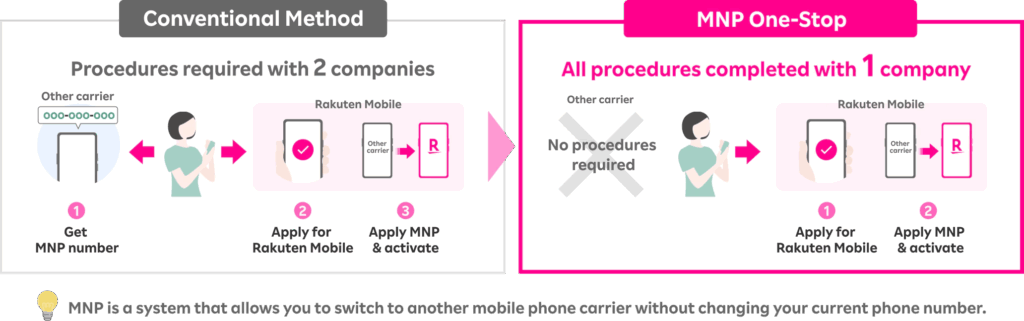
Until now, if you wanted to transfer your mobile number to another carrier, you typically had to follow these steps:
Complete the switch.
- Issue an “MNP Reservation Number” from your current carrier (e.g., Docomo, au, SoftBank, etc.) via their store, website, or phone.
- Enter that number into the application form of the new carrier you’re switching to.
- This required a two-way process between the two companies.
🚀 New System: “MNP One-Stop” Method
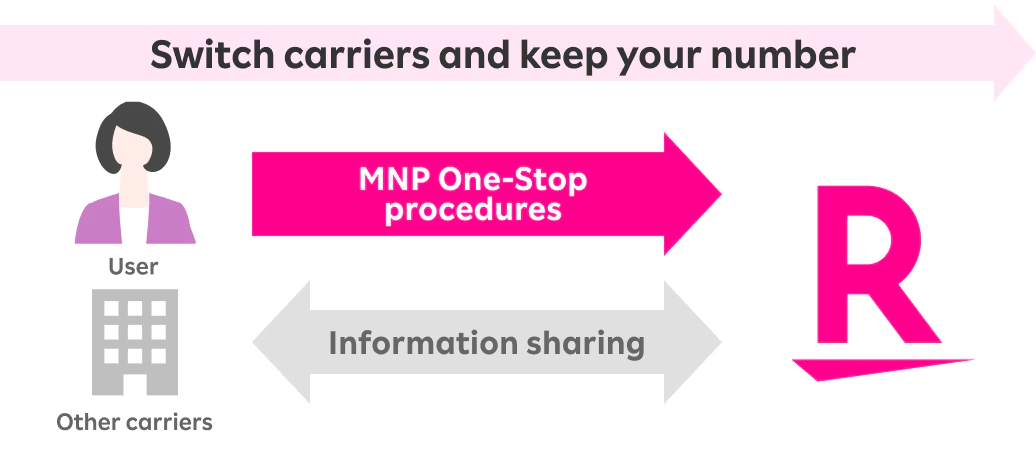
Since 2023, a new system called “MNP One-Stop” has been introduced. Between carriers that support this system:
- Users simply make a “switch application” with the new carrier they want to move to.
- No MNP number issuance or entry is required.
- The system automatically transfers the number through background system integration.
🚩About Supported Carriers
As of November 2025, the carriers currently supporting MNP One-Stop are as follows:
- Docomo
- au
- SoftBank
- Rakuten Mobile
- ahamo / povo / LINEMO
- Some MVNOs (low-cost SIMs)
Please note: Some providers are gradually implementing support, so please check each company’s official website for details.
Just Select It When Applying on the Website!
Using MNP One-Stop is Easy!
STEP 1: Preparation
Switching using MNP One-Stop is done via a website. Please prepare the following documents before applying:
- Identity verification documents (e.g., driver’s license, My Number Card, Residence Card etc.)
- Rakuten Member User ID and password
- Credit card / Bank account information
Note: The information on your identity verification documents and your Rakuten member information must match.
STEP 2: Application
From this application screen, select your desired plan, and on the phone number selection screen, choose “Switch from another company (MNP)” and proceed.
Note: To switch, the name on your current carrier’s contract and the name on your Rakuten Mobile contract must be the same.
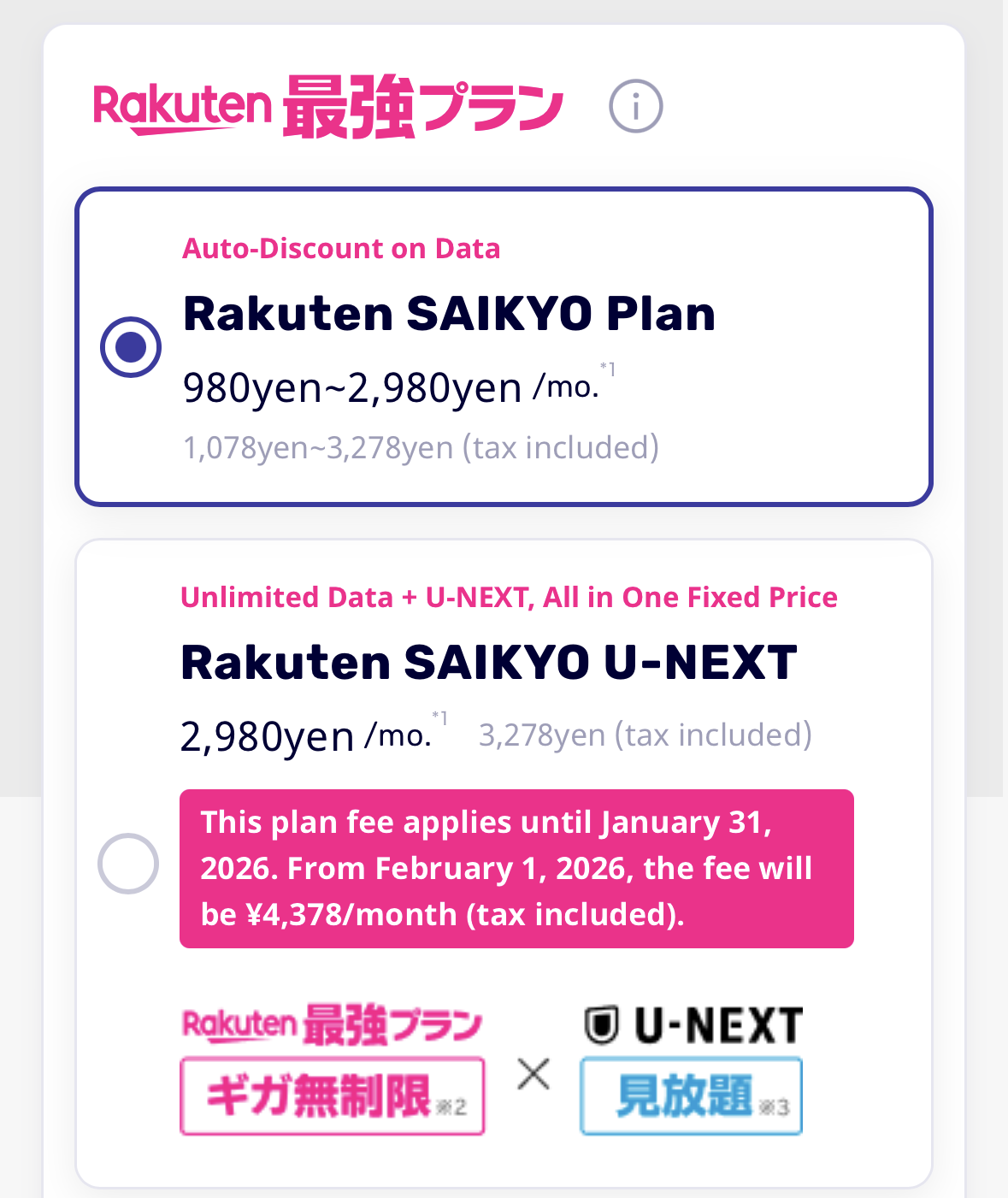
1.Select your plan.
※The video streaming service Rakuten Saikyo U-NEXT plan is recommended and a great deal.
2. Select SIM Type
If you select a pSIM; physical SIM card, it will be delivered to your registered address in approximately 2 days (if there are no issues with identity verification documents) to 1 week. If you select an eSIM, you can prepare for activation without waiting for delivery by scanning the QR code displayed on the website with the device you wish to use.
Note:Please confirm whether your current device or the device you plan to purchase supports a physical SIM card or an eSIM. The latest iPhone 17 does not support physical SIM cards and is compatible with eSIM only.

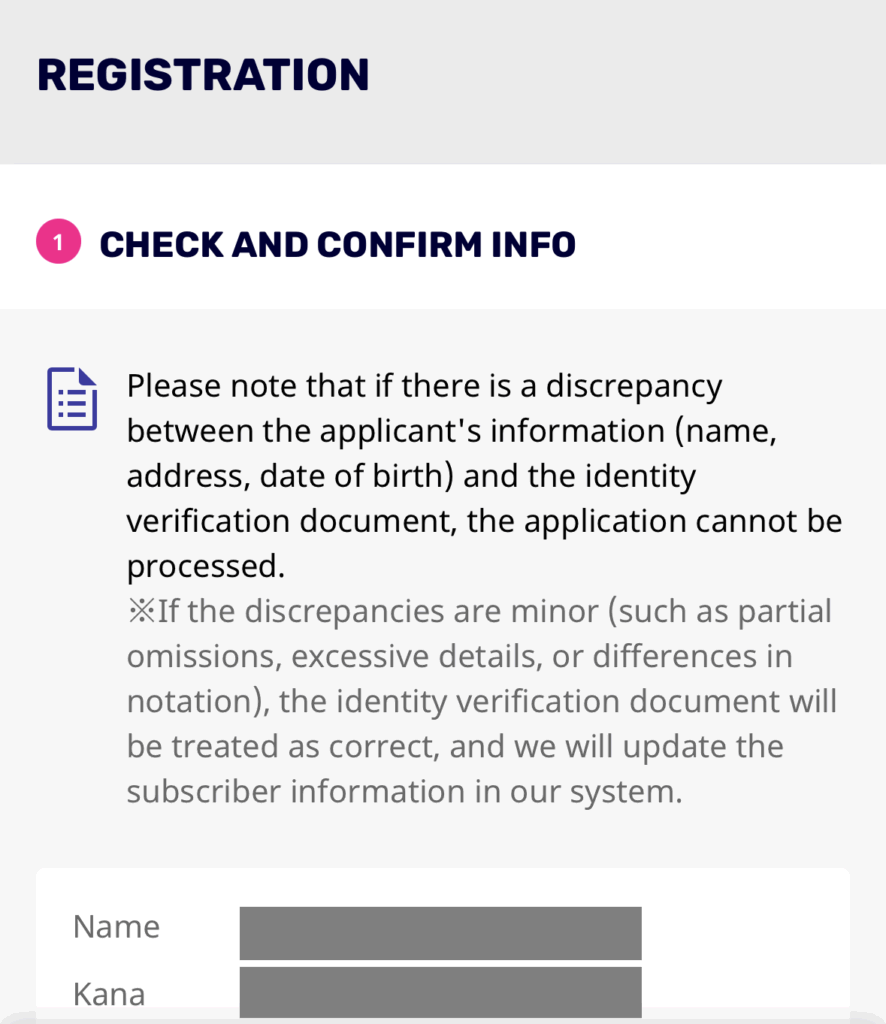
3.Review Subscriber Information
After selecting your desired plan and optional contracts like Hulu, your subscriber information will be displayed. Please confirm that your identity verification documents and subscriber information (Rakuten member information) match before proceeding. If your surname has changed due to marriage or other reasons, please update your member information before applying.
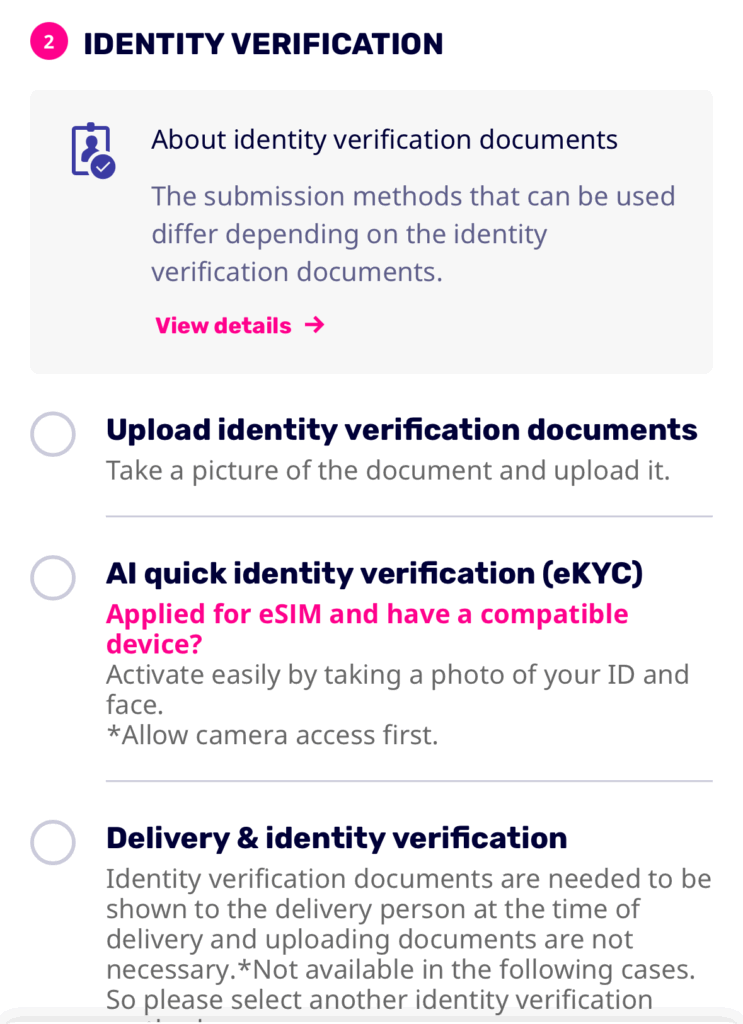
4. Select Identity Verification Method
Select your preferred identity verification method and identity verification documents, then tap “Proceed to next.” If you are applying for an eSIM and have a compatible device on hand, AI identity verification via eKYC is recommended.
5.Select Phone Number
Select “Switch from another company while keeping your current phone number (MNP)” and enter the phone number you wish to transfer.
Please carefully check and enter the phone number you wish to transfer. See More details!
6.Review Important Information and Terms of Use, then Complete Application
Please review the Rakuten Mobile Important Information Statement and Terms of Use displayed on the screen, then tap “Agree and Apply.” With this, your application for a Rakuten Mobile plan is complete. After this, you will proceed with the “Phone Number Transfer Request.”
STEP3:Phone Number Transfer Request
Once your application for the desired plan is complete, you will proceed with the phone number transfer (MNP) request for MNP One-Stop.
Access my Rakuten Mobile and go to your application history. When you select your current mobile carrier, you will be redirected to that carrier’s MNP One-Stop application page. If the application is submitted between 0:00 and 21:20, it will be processed on the same day. However, if submitted between 21:21 and 23:59, it will be completed after 9:00 AM the following day.
I am currently in the process of completing the MNP One-Stop service and I don’t remember Sign in ID/ Password for my old number. What should I do?
STEP4:Transfer-in Procedure
Once the MNP One-Stop application is complete and your physical SIM card or other delivery items have arrived, a “Start MNP Transfer-in” button will appear in your “Application History.” Please review the important notes and then tap “Start Transfer-in.”
STEP5:Start Using!
Once the Rakuten Mobile line activation process is complete, you can start using it! Please check the status periodically on your Rakuten Mobile application history page.
Eliminate switching difficulties and save money on your fees.
Thanks to the MNP One-Stop system, switching mobile carriers has become easier than ever. Even if you felt, “I want to save money, but the process is too much of a hassle…”, now is your chance to reconsider.
Let this great campaign be the trigger to review your mobile phone charges!
Related Articles

Comprehensive Guide on Rakuten Mobile’s Contract Period and Cancellation Fees

How to Cancel Your Rakuten Membership: A Simple Step-by-Step Guide

Rakuten Mobile eSIM Guide | Comprehensive Explanation of Setup, Benefits, and Compatible Devices

Easy for Everyone! How to Cancel Rakuten Mobile

How to Switch from Physical SIM to eSIM for Free